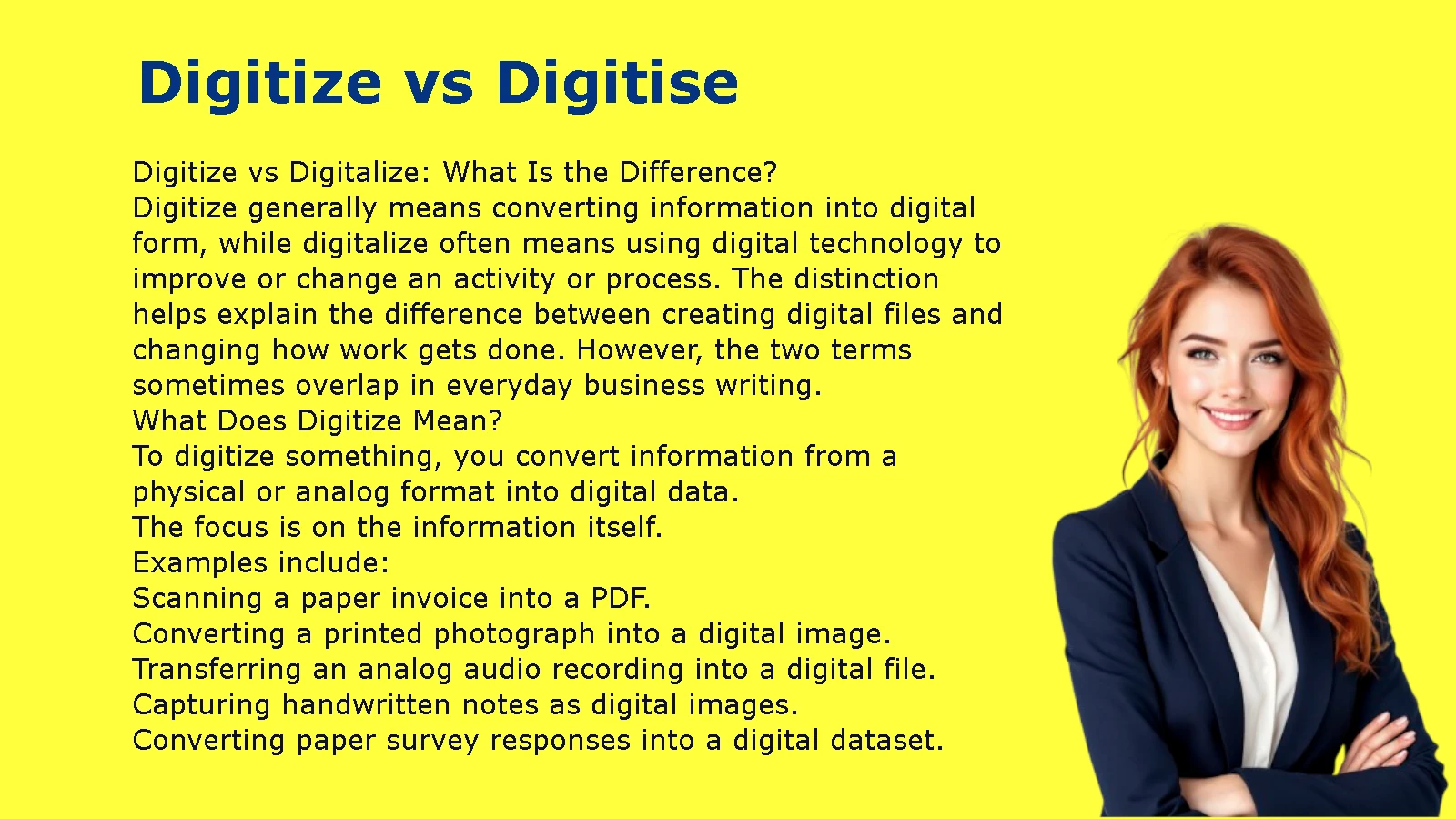
Digitize vs digitise is a spelling difference between American and British English. Both words mean converting information, documents, images, or other material into digital form. American English generally uses digitize, while British English commonly uses digitise. The related word digitalize has a slightly different emphasis because it often describes using digital technology to improve a process or activity.
Understanding these terms helps you choose the correct spelling for your audience, write clearly about technology, and distinguish digitization from broader digital transformation. Whether you are scanning paper documents, converting old photographs into digital files, or replacing manual business procedures with software, the right word depends on what you want to describe.
Digitize vs Digitise: Which Spelling Is Correct?
Both digitize and digitise are correct spellings of the same verb. The main difference is regional preference: American English favors digitize, while British English commonly uses digitise. The words have the same basic meaning and pronunciation, so you should choose the form that matches your audience and remain consistent throughout your writing.
Digitize Is the American English Spelling
Digitize is the standard spelling in American English. Writers in the United States generally use this form in business documents, technical manuals, educational materials, websites, and everyday communication.
The spelling follows the American preference for -ize in many verbs, including organize, modernize, and prioritize.
Here are some examples:
- The company plans to digitize its paper records before moving to a new office.
- The museum will digitize its historical photographs for an online archive.
- Our team needs to digitize the old invoices so employees can find them quickly.
- The hospital decided to digitize its administrative records.
- Researchers are working to digitize handwritten documents from the nineteenth century.
In each sentence, digitize describes converting physical or analog information into a digital format.
If you are writing for an American audience, use related forms such as digitized, digitizing, and digitization. Keeping these forms consistent makes your content easier to read and edit.
Digitise Is the British English Spelling
Digitise is a common British English spelling. It carries the same meaning as digitize but follows the British preference for -ise in many words.
British writers may use digitise in government publications, business reports, educational resources, and technical documents. The same spelling convention also appears in several other varieties of English, although preferences can differ by country, organization, and style guide.
Examples include:
- The council plans to digitise its historical records.
- The library will digitise rare books to make them available online.
- Our department needs to digitise its paper application forms.
- The archive is digitising photographs from its collection.
- The company has digitised thousands of documents this year.
If you are writing for a British audience, digitise is a natural choice. Use the corresponding forms digitised, digitising, and digitisation when appropriate.
However, do not assume that every British publication follows exactly the same spelling policy. Some organizations prefer -ize spellings, so an established house style should take priority when one applies.
Digitize vs Digitise at a Glance
The following table summarizes the main differences.
| Feature | Digitize | Digitise |
| Regional preference | American English | British English |
| Meaning | Convert information into digital form | Convert information into digital form |
| Pronunciation | Generally the same | Generally the same |
| Past tense | Digitized | Digitised |
| Present participle | Digitizing | Digitising |
| Noun form | Digitization | Digitisation |
| Example | We digitized the records. | We digitised the records. |
The key point is simple: the spelling changes, but the meaning does not. You do not need to learn two separate definitions or treat the words as different technical processes.
For example, an American company might say, “We will digitize our invoices,” while a British company might write, “We will digitise our invoices.” Both statements describe the same action.
What Does Digitize Mean?
Digitize means to convert information or material into a digital format that a computer or other electronic device can store, process, or display. The process may involve scanning paper documents, converting analog recordings into digital files, or capturing information from physical objects. Its central purpose is to make information available in digital form.
Definition of Digitize
The verb digitize describes the conversion of information into digital data.
Before digitization, information may exist on paper, film, magnetic tape, or another physical or analog medium. After conversion, a computer can store and process the resulting data.
Consider a printed photograph. You cannot attach the physical photograph directly to an email. However, you can scan it and create a digital image file. That process digitizes the photograph.
The same principle applies to many other materials:
- Paper documents: Convert letters, invoices, contracts, and forms into digital files.
- Photographs: Scan printed pictures and save them as JPEG, PNG, or TIFF files.
- Audio recordings: Convert analog recordings into digital audio files.
- Maps: Convert printed maps into digital images or structured geographic data.
- Handwritten records: Capture handwritten pages as images and use text recognition when suitable.
- Analog measurements: Convert physical measurements into digital data using appropriate sensors and equipment.
Digitization does not automatically mean that the information becomes editable or searchable. For example, a scanned page saved as a PDF may contain only an image of the original page. Additional processing, such as optical character recognition, may be needed to identify its text.
Examples of Digitizing in Everyday Life
Digitization appears in ordinary activities more often than many people realize.
Scanning family photographs
Suppose you have a box of family photographs from the 1980s. You scan the pictures, save them to your computer, and organize them into folders. You have digitized the photographs, making it easier to share and back them up.
Converting paper bills into digital files
A small business owner scans utility bills and stores them in a digital folder organized by month. Instead of searching through a filing cabinet, the owner can locate a bill by its filename or search the text if the file supports OCR.
Preserving old audio recordings
A family has recordings stored on cassette tapes. Using suitable playback and recording equipment, someone transfers the audio into digital files. The recordings are now easier to copy, store, and play on compatible devices.
Creating digital educational resources
A teacher scans printed worksheets and saves them as PDFs. Students can access the worksheets online instead of collecting paper copies.
These examples share one important feature: the original information changes from a physical or analog form into digital data.
Digitize in Business and Technology
Businesses digitize information to improve how they store, retrieve, share, and preserve records. However, digitization alone does not guarantee that a business will become more efficient. The results depend on how the company organizes and uses its new digital information.
Common business applications include:
- Document management: Convert paper files into digital records.
- Accounting: Store invoices, receipts, and financial documents electronically.
- Human resources: Digitize employee files and application forms.
- Healthcare administration: Convert paper administrative records into electronic files, subject to appropriate privacy and security requirements.
- Education: Create digital versions of textbooks, assignments, and historical materials.
- Archives and libraries: Preserve fragile materials and improve access to collections.
- Manufacturing: Convert analog measurements or legacy technical records into digital data.
Imagine a business that keeps 5,000 paper invoices in filing cabinets. Employees must locate each invoice manually, which can take time and create delays.
After scanning the invoices, the business can organize them into folders and apply OCR to make printed text searchable. Employees can then search for invoice numbers, suppliers, or dates when the OCR process recognizes those details accurately.
The practical benefit comes from more than scanning. Good file naming, reliable backups, appropriate permissions, and a consistent filing system make the digitized records useful.
Digitize vs Digitalize: What Is the Difference?
Digitize generally means converting information into digital form, while digitalize often means using digital technology to improve or change an activity or process. The distinction helps explain the difference between creating digital files and changing how work gets done. However, the two terms sometimes overlap in everyday business writing.
What Does Digitize Mean?
To digitize something, you convert information from a physical or analog format into digital data.
The focus is on the information itself.
Examples include:
- Scanning a paper invoice into a PDF.
- Converting a printed photograph into a digital image.
- Transferring an analog audio recording into a digital file.
- Capturing handwritten notes as digital images.
- Converting paper survey responses into a digital dataset.
For example, a company might scan all its paper purchase orders and store them in a shared digital archive.
The company has digitized the purchase orders. Yet employees may still need to review, approve, and process each order manually. The information is digital, but the workflow has not necessarily changed.
What Does Digitalize Mean?
Digitalize often refers to using digital tools and technologies to change how people perform an activity. It may involve software, automation, online systems, integrated databases, or electronic workflows.
The focus is on how digital technology supports or changes the process.
Examples include:
- Replacing paper approval forms with an electronic approval workflow.
- Moving customer service requests into an online ticketing system.
- Using scheduling software instead of maintaining a handwritten appointment book.
- Allowing customers to submit applications through a website.
- Connecting accounting software to an electronic invoicing system.
Suppose a company previously received paper invoices, routed them between departments, and collected handwritten signatures. It now uses software to receive invoices, check required fields, route approvals, and notify employees when action is needed.
That change illustrates digitalization because technology changes the way the work is performed.
In practice, the term digitalize can have a broader or less precise meaning depending on the industry. Some writers use it almost interchangeably with digitize, so the surrounding context matters.
Digitize vs Digitalize Meaning: Comparison Table
| Feature | Digitize | Digitalize |
| Main emphasis | Converting information into digital form | Using digital technology in an activity or process |
| Typical starting point | Physical or analog information | An existing task, service, or workflow |
| Common example | Scan a paper invoice | Automate invoice approvals |
| Primary result | Digital data or files | A digitally supported process |
| Does it require automation? | No | Not necessarily |
| Can the terms overlap? | Yes | Yes |
The distinction is useful, but it is not an absolute rule in every publication or industry.
For instance, a company may describe its project as “digitalizing records” even though the project mainly involves scanning and storing documents. Another company may use digitization to describe a larger records-management initiative that includes automation.
When accuracy matters, explain what the project actually does rather than relying on the verb alone.
Should You Use Digitize or Digitalize?
Choose digitize when you want to emphasize converting information into digital form. Choose digitalize when you want to emphasize using digital tools to change how a process operates.
Use these practical examples:
Example A: A school library
The library scans old paper photographs and stores them in a digital archive.
Best wording: “The library will digitize its historical photographs.”
The sentence emphasizes converting the photographs into digital files.
Example B: An accounting department
The accounting department introduces software that receives invoices, routes them for approval, and tracks payment status.
Best wording: “The department will digitalize its invoice-processing workflow.”
The sentence emphasizes changing the workflow through technology.
Example C: A company moving to electronic forms
The company converts paper forms into digital forms that employees can complete and submit online.
Both terms may fit, depending on the intended emphasis. Use digitize to highlight the conversion of the forms, or digitalize to highlight the broader change in how employees submit and process them.
The clearest writing identifies the actual result instead of assuming that one verb communicates every detail.
What Does It Mean to Digitize a Document?
To digitize a document means to convert a paper document into a digital file, usually by scanning or photographing it. The file can then be stored, shared, backed up, and viewed electronically. Optical character recognition (OCR) can also convert recognizable printed text into searchable or editable text, depending on the software and document quality.
How Document Digitization Works
A basic document digitization project involves several steps. The best approach depends on the volume of documents, the quality of the originals, and how people will use the resulting files.
Step 1: Prepare the documents
Remove staples when necessary, separate pages, and check for folded corners or damaged paper. For delicate historical materials, use equipment and handling methods appropriate to the documents.
Step 2: Scan the pages
Use a flatbed scanner, a document scanner, or a suitable mobile scanning app. A document scanner with an automatic document feeder may save time when you have a large stack of ordinary office papers.
Step 3: Select a suitable file format
Common options include:
- PDF: Useful for multipage documents, contracts, forms, and reports.
- JPEG: Suitable for photographs and many everyday images.
- PNG: Useful for images where lossless storage is desirable.
- TIFF: Often used for high-quality archival images and preservation workflows.
Choose a format based on the document type, image quality, storage needs, and intended use.
Step 4: Apply OCR if needed
OCR stands for optical character recognition. It analyzes an image of printed text and attempts to identify the characters and words.
For example, a scanned invoice might look correct on screen but contain no searchable text. OCR can help make the supplier name, invoice number, and other printed details searchable.
OCR is not perfect. Handwriting, blurry images, unusual fonts, and damaged pages can reduce recognition accuracy. Important records should be checked for errors when accuracy matters.
Step 5: Name and organize the files
Use a consistent naming system. For example:
- 2026-03-12_supplier-invoice-1048.pdf
- 2026-04-02_employment-contract.pdf
- family-photo_1987-06.jpg
A good filename communicates useful information without requiring someone to open the file first. For larger archives, metadata and document-management software may provide additional ways to locate records.
Step 6: Protect the digital records
Store files in a secure location, restrict access where necessary, and maintain backups. Confidential contracts, personnel files, and financial records may require additional safeguards.
Digitizing a document should not mean abandoning the original automatically. Retention requirements, legal obligations, archival value, and organizational policies may require the paper version to remain available.
Scanning vs Digitizing a Document
Scanning is one method of capturing a physical document as a digital image. Digitization is the broader process of converting information into digital form and may include scanning, OCR, metadata, file organization, and quality checks.
| Feature | Scanning | Document digitization |
| Main activity | Capture a page as an image | Convert and prepare information for digital use |
| Typical output | Image or image-based PDF | Digital file, potentially searchable or structured |
| OCR included? | Not always | May be included when useful |
| File organization | Optional | Often part of a complete workflow |
| Quality checks | May be basic | Can include image, text, and metadata checks |
| Example | Scan a signed contract | Scan, name, index, secure, and archive the contract |
A scanned PDF can still be a valid digital document even if it does not contain searchable text. OCR adds functionality; it does not determine whether scanning created a digital file in the first place.
This distinction matters when planning a document-management system. If employees only need to view documents, image-based PDFs may be sufficient. If they must search thousands of pages for particular names, dates, or clauses, OCR and indexing may be worth the extra effort.
Benefits of Digitizing Documents
Document digitization can improve access to information, but the benefits depend on how the files are managed.
Faster retrieval
Employees can search organized folders or document-management systems rather than checking multiple filing cabinets.
Easier sharing
A digital file can be sent to an authorized colleague or accessed through a secure shared system without physically transporting paper.
Reduced physical storage
Digitization can reduce the need to store frequently accessed paper records. However, organizations may still need to retain originals for legal, operational, or archival reasons.
Better backup options
Digital records can be backed up to separate storage locations. A reliable backup plan reduces the risk of losing every copy because of a single device failure.
Improved remote access
Authorized staff can access digital documents from different locations when the organization uses suitable secure systems.
More flexible document processing
Searchable text, metadata, and document-management tools can make it easier to sort, classify, and process information.
There are also costs to consider. Scanning takes time, OCR can introduce errors, and poorly secured files may expose sensitive information. A good digitization plan accounts for these issues from the beginning.
Example of Document Digitization: A Small Business
Consider a small business that stores invoices, delivery notes, and supplier contracts in filing cabinets.
Before digitization, an employee must locate the correct cabinet, identify the folder, and search through individual documents. If a supplier disputes an invoice, retrieving the original record may take several minutes or longer.
The business introduces a basic digitization process:
- Staff scan new invoices and contracts.
- Each file receives a consistent name.
- OCR makes suitable printed text searchable.
- Files are organized by document type and date.
- Access permissions protect confidential information.
- Backups preserve copies of the digital archive.
Now, an employee can search for an invoice number instead of manually checking every folder.
The improvement does not come from scanning alone. It comes from combining digitization, indexing, consistent naming, search, and secure storage.
A small organization does not necessarily need expensive software to begin. It can start with a scanner, a well-designed folder structure, and a clear file-naming policy. More advanced document-management tools become useful as the volume and complexity of records increase.
Digitize vs Digitise Examples in Sentences
Both spellings work in sentences that describe converting information into digital form. The correct choice depends primarily on your spelling convention, while the context determines whether the verb communicates the intended action.
Examples Using Digitize
These examples follow American English spelling.
- The university plans to digitize its collection of historical newspapers.
- We need to digitize the paper receipts before the end of the financial year.
- The museum hired a specialist to digitize fragile photographs.
- Our office is digitizing employee records to improve retrieval.
- The company has digitized its older customer files.
- Researchers hope to digitize the handwritten letters for public access.
- The archive uses high-resolution equipment to digitize valuable documents.
- The team will digitize the forms before importing the information into its database.
Each example focuses on converting existing information into a digital format.
Examples Using Digitise
These examples follow British English spelling.
- The university plans to digitise its collection of historical newspapers.
- We need to digitise the paper receipts before the end of the financial year.
- The museum hired a specialist to digitise fragile photographs.
- Our office is digitising employee records to improve retrieval.
- The company has digitised its older customer files.
- Researchers hope to digitise the handwritten letters for public access.
- The archive uses high-resolution equipment to digitise valuable documents.
- The team will digitise the forms before importing the information into its database.
The sentences communicate the same ideas as the American examples. Only the spelling changes.
Examples of Digitize vs Digitalize in Context
The difference becomes clearer when you compare the action described.
| Situation | Example sentence | Why it fits |
| Scanning old contracts | We will digitize the contracts. | The emphasis is on converting paper documents into digital files. |
| Automating contract approvals | We will digitalize the approval process. | The emphasis is on changing how approvals work. |
| Converting printed maps | The agency digitized its paper maps. | The maps become digital images or data. |
| Introducing an online booking system | The business digitalized its booking workflow. | The business changes how customers make reservations. |
| Scanning archived photographs | The gallery digitised its photographs. | The British spelling describes the conversion of images. |
| Introducing electronic customer records | The company digitalized its record-management process. | The emphasis is on using technology to manage records. |
These examples are practical guidelines rather than rigid rules. When you want to eliminate ambiguity, describe the process directly.
For instance, “We scanned the paper contracts and added searchable text” gives readers more precise information than “We digitized the contracts.” Similarly, “We introduced software to route approvals automatically” explains a workflow change more clearly than “We digitalized the process.”
Digitize, Digitise, and Their Related Word Forms
The verb digitize has several related forms. American and British English generally maintain the same spelling distinction across these forms, although individual organizations may follow different style conventions.
Digitized vs Digitised
Digitized is the American English past-tense and past-participle form. Digitised is the corresponding British English form.
Both describe an action that has already happened or information that has undergone conversion.
Examples:
- American: The library digitized its historical records.
- British: The library digitised its historical records.
- American: We have digitized all the invoices from last year.
- British: We have digitised all the invoices from last year.
The choice does not affect the tense or meaning. It follows the regional spelling convention.
Digitizing vs Digitising
Digitizing is the American English form, while digitising is the common British English equivalent.
These forms often describe an action in progress or the activity itself.
Examples:
- American: We are digitizing the company’s paper archives.
- British: We are digitising the company’s paper archives.
- American: Digitizing photographs helps preserve and share them.
- British: Digitising photographs helps preserve and share them.
In both versions, the verb describes the same activity.
Digitization vs Digitisation
Digitization is the standard American English noun form. Digitisation is common in British English.
Both nouns refer to the process of converting information into digital form.
For example:
- American: The digitization of the records took several months.
- British: The digitisation of the records took several months.
The noun is useful when discussing a project, policy, budget, or process rather than a specific action.
Compare these sentences:
- “The team will digitize the files.” — Verb.
- “The team is digitizing the files.” — Present participle.
- “The team digitized the files.” — Past tense.
- “The digitization of the files is complete.” — Noun.
The word form changes according to the sentence, but the underlying concept remains the same.
Digitize vs Digitalize: Related Noun Forms
The related nouns are digitization and digitalization. They often reflect the same distinction as their corresponding verbs.
| Verb | Related noun | General emphasis |
| Digitize | Digitization | Conversion of information into digital form |
| Digitalize | Digitalization | Use of digital technology to change or improve an activity |
For example, a project that scans thousands of paper records can be described as a digitization project. A project that introduces online applications, automated approvals, and integrated software may be described as a digitalization initiative.
These terms are not always used consistently across industries. Some organizations use digitalization broadly to include document conversion, while others distinguish it from wider digital transformation.
For clear writing, define the project’s scope when the distinction matters.
How to Choose the Right Spelling
Choosing between digitize and digitise usually takes only a moment. The most reliable approach is to consider your audience, follow any applicable style guide, and use the same spelling throughout the document.
Follow Your Audience’s English Variant
Use digitize when writing for an American audience that follows American English spelling conventions.
Use digitise when writing for a British audience that follows the -ise convention.
For example, an American software company might publish a guide titled “How to Digitize Paper Records.” A British organization might use “How to Digitise Paper Records.”
Neither title is inherently more correct than the other. Each follows a different spelling convention.
If you write for an international audience, choose a consistent variety of English rather than switching spellings between paragraphs. Your choice should reflect the publication’s audience and established editorial policy.
Keep Spelling Consistent
Consistency matters across the entire article, not just in the main verb.
If you choose American English, write:
- Digitize
- Digitized
- Digitizing
- Digitization
If you choose British English, write:
- Digitise
- Digitised
- Digitising
- Digitisation
Review these forms in headings, body text, image descriptions, metadata, and related pages where you control the wording.
A spelling checker can help identify inconsistencies, but automated tools do not always understand regional preferences. A final editorial review can catch variations that the software misses.
For website owners, consistency also helps maintain a clear editorial identity. You can still mention the alternative spelling naturally when it helps readers understand the difference.
Match the Meaning to the Context
After selecting the regional spelling, make sure the word describes the action accurately.
Use digitize or digitise when you mean:
- Converting a paper document into a digital file.
- Scanning an old photograph.
- Transferring analog audio into digital form.
- Converting printed records into digital data.
Use digitalize or digitalise when you want to emphasize:
- Changing an existing workflow with digital tools.
- Introducing electronic services.
- Using software to support or automate tasks.
- Integrating digital technology into a business process.
For example, “We digitized the application forms” describes the conversion of forms. “We digitalized the application process” suggests a broader change in how people apply.
If the project includes both activities, you can use both terms in the same explanation. A company might digitize its paper applications and then digitalize the process by introducing online submission and automated review.
Frequently Asked Questions
Is Digitize or Digitise Correct?
Both digitize and digitise are correct. American English generally favors digitize, while British English commonly uses digitise. Both spellings describe converting information into digital form, so choose the version that matches your audience and maintain consistency.
What Is the Difference Between Digitize and Digitalize?
Digitize generally means converting information into digital form, such as scanning a paper invoice. Digitalize often means using digital technology to change a process, such as introducing software to automate invoice approvals. The terms can overlap, so context determines the intended meaning.
What Does It Mean to Digitize a Document?
To digitize a document means to convert a paper document into a digital file, usually by scanning it. OCR can make the text searchable or editable when the document and software support accurate recognition. The resulting file can be stored, shared, and backed up electronically.
Is Digitization or Digitisation Correct?
Both digitization and digitisation are correct spelling variants. Digitization is standard in American English, while digitisation is common in British English. Both refer to the process of converting information into digital form.
Is Digitize the Same as Scan?
Not exactly. Scanning is one way to digitize a document, usually by capturing it as a digital image. Digitization can describe a broader process that includes scanning, OCR, metadata, and file organization. A scanned image can be digital even if its text is not searchable.
Should I Use Digitize or Digitalize in Business Writing?
Use digitize when you mean converting documents, images, or other information into digital form. Use digitalize when you want to emphasize how digital technology changes a workflow or activity. If your project includes both, explain the conversion and the process changes separately.
Conclusion: Digitize vs Digitise
The difference between digitize vs digitise comes down to regional spelling. American English generally uses digitize, while British English commonly uses digitise. Both words carry the same meaning, and their related forms follow similar spelling patterns.
The distinction between digitize and digitalize is about meaning rather than just spelling. Digitizing focuses on converting information into digital form, while digitalizing often emphasizes using digital technology to improve a process.
When writing about document digitization, be specific about what the work involves. Scanning creates digital images, OCR can make text searchable, and a well-organized filing system helps people retrieve and protect the resulting records.




